Why Do Mobile Payments Feel Like a Remote Control for Money?
Imagine holding your entire financial life in the palm of your hand — not just your cash or cards, but the means to authorize, monitor, and manage payments as effortlessly as switching channels on a TV remote. That’s exactly how mobile payments feel today, thanks to innovations like digital wallets and saved payment methods. Far from being just a convenience, mobile payments are reshaping how we think about money, especially in a phone-first world.
The Phone-First Checkout Experience
Mobile phones have evolved into multi-functional devices that people expect to use for everything — from communication to shopping. With that evolution, phone-first checkout expectations have become the norm. This means customers anticipate a quick, intuitive process tailored specifically for small screens and on-the-go use.
Unlike desktop shopping, where there’s ample time and real estate to compare options and enter lengthy details, mobile users demand:
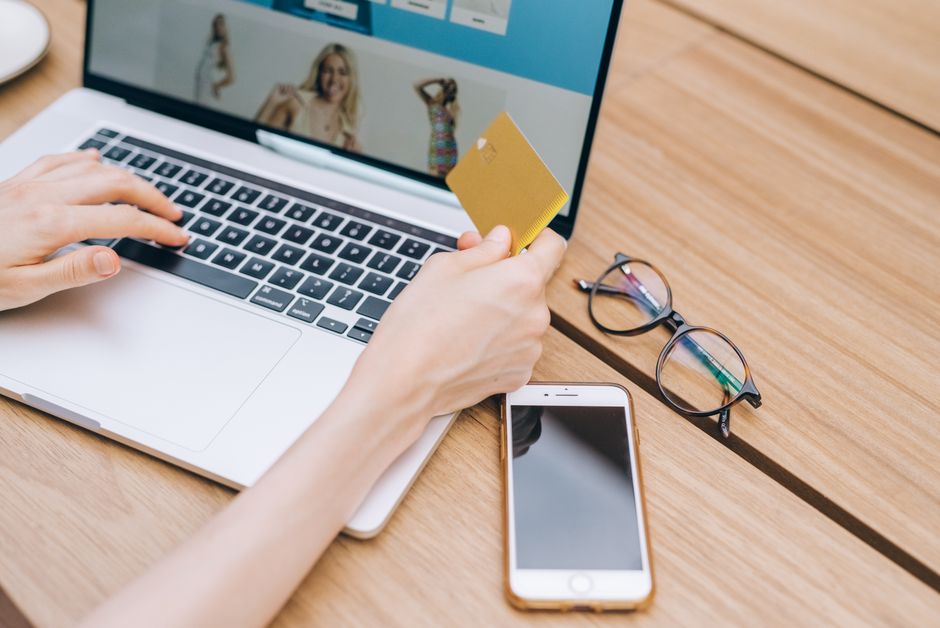
- Instant access to payment methods without needing to dig through wallets or memorize card numbers
- Clear and concise presentation of pricing and totals without overwhelming the screen
- Minimal taps and input to complete the purchase
When mobile payments meet these expectations, they stop feeling like a complex transaction process and start resembling the simplicity of clicking a remote control button. Just press, approve, and done.
Digital Wallets and Saved Payment Methods: Your Money’s Remote Control Buttons
The backbone of mobile payments is the concept of digital wallets and saved payment methods. These tools store your payment details — Visa, Mastercard, PayPal, Apple Pay, or other supported networks — securely within apps or browsers so you don’t have to enter information repeatedly.
Think about a TV remote with pre-programmed favorite channels; digital wallets act similarly by having your preferred payment options ready for immediate use. This setup allows you to:
- Switch between different cards or payment methods with a tap, choosing what best fits the moment
- Save time during checkout because your information is already verified and encrypted
- Reduce errors from manual input like mistyping card numbers or expiration dates
Plus, digital wallets often integrate loyalty cards, coupons, and even tickets — extending their remote control analogy beyond money to managing your entire transaction ecosystem.
How Saved Payment Methods Enhance User Control
Saved payment methods enable a tailored experience. You might, for example, save a travel card for vacations or a specific business credit card for work expenses. Selecting or swapping this stored information is as straightforward as toggling channels.
Some apps also remember your preferred billing addresses or delivery preferences, which further streamlines the process. By reducing the number of decisions or data points you need to input on mobile, the entire experience feels less like a chore and more like an intuitive interaction — just like toggling between remote control commands.
Mobile UX: Fewer Steps, Clear Totals, No Surprises
One https://bizzmarkblog.com/is-it-risky-to-keep-my-email-and-banking-on-the-same-phone/ reason mobile payments feel like remote controls is the optimized user experience (UX) designed for speed and transparency. With smaller screen space, every tap counts. Designers focus on:
- Minimizing checkout steps: Many apps and websites reduce checkout flows to 2-3 taps by detecting saved payment methods and autofilling information.
- Presenting clear totals: Users see exact costs — including taxes and fees — upfront. Clear pricing avoids the anxiety that sometimes comes with mysterious charges.
- Visual feedback: Like a remote’s blinking lights, mobile payment interfaces provide instant confirmation when payment methods are chosen or approved.
This attention to reducing friction means consumers aren’t stuck navigating dense forms or waiting for slow page reloads. The payment feels immediate, in control, and predictable, much like controlling a TV set.
Biometrics Reduce Friction and Increase Confidence
One of the biggest breakthroughs making mobile payments feel like operating a remote is the integration of biometric authentication — fingerprint scanners, facial recognition, and even https://smoothdecorator.com/visa-vs-mastercard-for-mobile-deposits-what-you-need-to-know/ voice identification. Rather than entering complex passwords or PINs, authorization happens in a split second.
Biometrics hardwire trust directly into your device. When your fingerprint unlocks the payment approval, it’s like having a remote that only you can use. This:
- Speeds up payment approvals: No need to pause and type tokens or codes
- Reduces chances of fraud: Since biometric data is unique and device-specific, it’s much harder for unauthorized users to mimic
- Enhances user satisfaction: With fewer hurdles, customers feel empowered to complete transactions confidently and quickly
For instance, Apple Pay leverages Face ID and Touch ID on iPhones for seamless authentication. Google Pay and Samsung Pay also support various biometric options. This tech transforms a potentially cumbersome process into a simple tap or glance — again, reminiscent of using a remote control rather than dealing with clunky cash or card transactions.
Integrating Transaction Monitoring and Banking Apps
Mobile payments don’t just offer simplified spending; they integrate tightly with banking apps and transaction monitoring features that keep users informed and in command.
Much like a remote displays current channel info or volume levels, banking apps provide real-time updates on payments you’ve approved, suspicious activity alerts, and spending summaries. Many apps display:
Feature Description Benefit Real-time Transaction Alerts Notifications immediately after a payment is made Instant visibility reduces fraud risk and enhances user confidence Spending Categorization Automatic grouping of expenses into categories like groceries, entertainment, or travel Helps users track budgets without manual effort Dispute and Support Access One-tap links to report issues or contact customer service Saves time and reduces friction when problems occurWith these tools in place, users feel like they have a comprehensive remote for money — not just in spending but in oversight and control. The frictionless approval and monitoring blend to create an empowered, informed, and secure experience.
Conclusion: Why Mobile Payments Really Are Your Financial Remote Control
The comparison between mobile payments and a remote control for money might sound whimsical, but it’s rooted in how intuitive, instant, and user-centric these systems have become. By harnessing digital wallets, saved payment methods, optimized mobile UX, biometrics, and close integration with banking apps and transaction monitoring, mobile payments put users in the driver’s seat — or, rather, give them the remote.
In a world where convenience and speed dominate consumer choices, mobile payments deliver an experience that is:
- Quick, responsive, and tailored for mobile-first users
- Secure and personalized through biometrics and saved methods
- Transparent and controlled via real-time transaction monitoring
So next time you tap your phone to pay, think of it as pressing a button on your money remote — a new way to control your finances that’s as easy and natural as flipping channels.